CS 1.6 Dedicated Server Hosting & AMX Mod X Setup Guide
Complete guide to building, hosting, and administering a modern 1000 FPS ReHLDS server with AMX Mod X, Metamod-r, and anti-cheat modules.
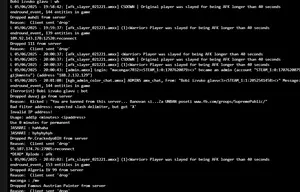
Modern Server Architecture: HLDS vs ReHLDS
Traditional Valve HLDS (Half-Life Dedicated Server) was deprecated years ago and suffers from buffer overflow vulnerabilities, outdated masterserver protocols, and poor multi-core CPU utilization.
Modern competitive community servers run exclusively on ReHLDS (Reverse-Engineered HLDS). ReHLDS is fully backward compatible with all GoldSrc clients while delivering rock-solid 1000 tickrate stability, built-in protection against fake player DDOS attacks, and support for modern voice codecs.
Installing the Core Plugin Framework
A complete modern CS 1.6 server requires three foundational software layers:
1. ReHLDS: The core game server binary replacement.
2. Metamod-r: The high-performance plugin manager that bridges game engine events.
3. AMX Mod X 1.9 / 1.10: The scripting platform for all admin commands, map voting systems, and gameplay modifications.
4. Rechecker & Reunion: Crucial modules that support Dual Protocol 47/48, allowing both legacy and modern game clients to connect seamlessly.
Configuring Admin Access in users.ini
To give yourself full administrator permissions on your server:
1. Navigate to cstrike\addons\amxmodx\configs\users.ini.
2. Scroll to the bottom and add an admin line using your SteamID, IP, or player nickname:
"YourName" "YourPassword" "abcdefghijklmnopqrstu" "a"
Flag breakdown: "abcdefghijklmnopqrstu" grants complete administrative immunity, kick, ban, slap, slay, map change, and cvar modification rights. In game, press ~ and type: setinfo _pw "YourPassword", then connect to your server.
Essential server.cfg Performance Directives
To achieve 1000 FPS server stability without choke, configure cstrike\server.cfg with:
sys_ticrate 1000
sv_maxrate 100000
sv_minrate 25000
sv_maxupdaterate 102
sv_minupdaterate 66
sv_timeout 60
mp_autokick 0
mp_roundtime 1.75
mp_c4timer 35
mp_freezetime 3
Ensure your server operating system kernel (Linux or Windows) has high-resolution multimedia timers enabled to maintain sys_ticrate 1000 consistently.
Skip Manual Tweaks — Get the Pre-Optimized 2026 Client
All settings, Windows 11 compatibility fixes, 240Hz uncap parameters, and anti-slowhack protections covered in this guide are pre-applied out of the box in our official 170 MB setup.
Related Technical Guides
 Compatibility
CS 1.6 Windows 11 (24H2) Optimization & Crash Fix Guide
The ultimate technical guide to running Counter-Strike 1.6 flawlessly on Windows 11 and Windows 10 without crashes, input lag, or 60 FPS caps.
 Performance
How to Uncap FPS in CS 1.6 for 144Hz, 240Hz & 360Hz Monitors
Learn how to unlock the 100 FPS GoldSrc engine cap, configure fps_override, eliminate vertical sync tearing, and achieve butter-smooth high refresh rate gameplay.
 Gameplay
CS 1.6 Offline Bots Guide: Installing ZBot 1.5, POD-Bot & Navmesh Waypoints
Learn how to configure intelligent offline bots in Counter-Strike 1.6 for target practice, warmup routines, and bot navigation on custom maps.