CS 1.6 Multiplayer & MasterServer Guide: Connecting to Global Communities
Learn how to find low-ping public servers, save favorites, connect directly via IP, bypass firewall restrictions, and join global communities.
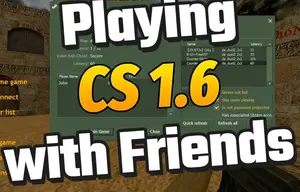
How Counter-Strike 1.6 Server Discovery Works
Unlike modern matchmaking games that pair players through centralized queues, Counter-Strike 1.6 relies on a decentralized MasterServer ecosystem. When you click "Find Servers", your client queries central MasterServer IP addresses, which return active server lists categorized by game mode, ping, and player count.
Our official 2026 clients include built-in Anti-Slowhack protection, shielding your server browser from malicious redirect servers and advertising proxies.
Connecting Directly to Any Server via IP Address
If you have a direct server IP address from Discord, GameTracker, or a friend:
1. Launch CS 1.6.
2. Open the developer console (~).
3. Type: connect [IP:PORT] (for example: connect 185.125.230.15:27015).
4. Press Enter to initiate immediate direct connection.
To save the server for future sessions, open the "Favorites" tab in the server browser, click "Add Server", paste the IP, and click OK.
Filtering Servers by Game Mode
Use the in-game server browser filter dropdown to locate your favorite gameplay mods:
• Classic Public: Standard 5v5 or 16v16 bomb defusal and hostage rescue.
• CSDM (Deathmatch): Instant respawns and menu loadouts for aim warmup.
• Zombie Plague / Escape: Human survivors vs infectious zombie hordes.
• GunGame (GG): Level up your weaponry with every kill until reaching the golden knife.
• JailBreak: Guards enforce orders while prisoners plot revolts and mini-games.
• HNS (Hide and Seek) & KZ (Climb): Movement, strafing, and longjump training maps.
Optimizing Ping and Routing to Community Servers
To achieve the lowest possible ping (under 25ms):
1. Sort the server list by the "Latency" column to place geographically nearest servers at the top.
2. Always use a wired Ethernet cable rather than Wi-Fi to eliminate packet jitter.
3. Close bandwidth-heavy background applications (Steam downloads, torrent clients, Discord screen streams).
4. In console, verify your rate settings match our Netcode Guide (rate 100000, cl_updaterate 102).
Skip Manual Tweaks — Get the Pre-Optimized 2026 Client
All settings, Windows 11 compatibility fixes, 240Hz uncap parameters, and anti-slowhack protections covered in this guide are pre-applied out of the box in our official 170 MB setup.
Related Technical Guides
 Compatibility
CS 1.6 Windows 11 (24H2) Optimization & Crash Fix Guide
The ultimate technical guide to running Counter-Strike 1.6 flawlessly on Windows 11 and Windows 10 without crashes, input lag, or 60 FPS caps.
 Performance
How to Uncap FPS in CS 1.6 for 144Hz, 240Hz & 360Hz Monitors
Learn how to unlock the 100 FPS GoldSrc engine cap, configure fps_override, eliminate vertical sync tearing, and achieve butter-smooth high refresh rate gameplay.
 Gameplay
CS 1.6 Offline Bots Guide: Installing ZBot 1.5, POD-Bot & Navmesh Waypoints
Learn how to configure intelligent offline bots in Counter-Strike 1.6 for target practice, warmup routines, and bot navigation on custom maps.