CS 1.6 WarZone Edition
The Legendary Non-Steam Repack with Dual Protocol 47/48 & Smart POD-Bots
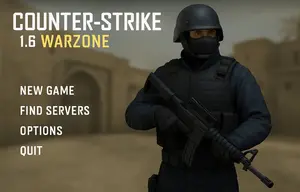
Powered by the unified CS-Down engine with 1-click in-app edition switching and automatic 10–15s mod configuration.
The Legendary Heritage of CS 1.6 WaRzOnE
Counter-Strike 1.6 WaRzOnE is universally recognized as one of the most reliable and iconic non-Steam repacks ever created. Known worldwide for its exceptional stability, clean file structure, and immediate plug-and-play accessibility, WaRzOnE has been the trusted client for millions of casual and competitive gamers since the mid-2000s.
Our verified 2026 distribution preserves the exact authentic WaRzOnE feel, packaging the complete GoldSrc client with all original audio files, official maps, and tournament-grade weapon animations in a single, high-speed 170 MB installer.
Dual Protocol (47 + 48) Universal Server Compatibility
One of the defining innovations of WaRzOnE is its Dual Protocol engine bridge. Older servers often run on Protocol 47, while modern ReHLDS and Steam servers operate on Protocol 48. Traditional clients throw "Protocol 47/48 mismatch" errors when attempting to join mismatched servers.
WaRzOnE solves this by implementing dynamic protocol handshakes, allowing you to connect seamlessly to any server regardless of its host operating system, amxmodx version, or protocol architecture.
Integrated Offline POD-Bots with Graphical "H" Menu
Whether you are traveling without internet access or practicing your spray control before competitive matches, WaRzOnE includes intelligent POD-Bots pre-loaded on all official maps (de_dust2, de_inferno, de_nuke, de_train, cs_assault, cs_italy).
Pressing the "H" key in-game brings up the comprehensive bot management menu. You can dynamically adjust bot skill levels (from Easy to Expert), set weapon restrictions (e.g., Knives Only or Pistols Only), and control bot team balancing instantly.
WaRzOnE Client Security & Anti-Slowhack Protection
Unprotected clients are vulnerable to rogue servers executing malicious commands. WaRzOnE includes internal protection against slowhacking, locking your critical game bindings, config.cfg, and master server lists.
The masterserver list delivers thousands of real, ping-sorted servers with zero redirects or fake player count spoofing.
Technical Specifications
| Engine Core | GoldSrc Engine (Build 8684 / WaRzOnE Enhanced) |
|---|---|
| Protocol Compatibility | Dual Protocol 47 / 48 (Universal Compatibility) |
| Client Security | Built-in Config Protector & Slowhack Blocker |
| Server Discovery | Populated MasterServer with 10,000+ Active Servers |
| Display & Refresh | Standard 4:3, 16:9 & 16:10 Widescreen Compatible |
| Offline Bot AI | Integrated POD-Bot AI with in-game "H" Hotkey Menu |
| Audio Subsystem | Classic Valve A3D / EAX 2.0 Sound System |
| Disk Footprint | 170.80 MB Setup (~800 MB Installed) |
Key Features of CS 1.6 WarZone Edition
- ✓ Dual Protocol 47/48
- ✓ Offline POD-Bots (H menu)
- ✓ Anti-slowhack protection
- ✓ 10,000+ masterserver list
Recommended Console Configuration
CS 1.6 WarZone Edition comes pre-configured for optimal performance. Open your in-game console (~) to view or customize these settings:
System Requirements for Windows PC
● Minimum Specifications
- CPU: 800 MHz processor (Intel or AMD)
- RAM: 128 MB RAM (256 MB recommended)
- GPU: 32 MB video card with OpenGL support
- Storage: 800 MB available hard drive space
- OS: Windows XP / Vista / 7 / 8 / 8.1 / 10 / 11
● Recommended Specifications
- CPU: 1.5 GHz multi-core processor
- RAM: 512 MB RAM or higher
- GPU: 128 MB DirectX 9 / OpenGL hardware acceleration
- Storage: 1.2 GB available storage space
- OS: Windows 10 or Windows 11 (24H2 compatible)
Quick Installation Guide
- 1. Download Setup: Click the direct download button above to retrieve
CS-1.6-WarZone-Edition-Setup.exe(170 MB). - 2. Run Installer: Launch the installer and follow the standard on-screen wizard to choose your destination directory.
- 3. Select CS 1.6 WarZone Edition: Open the client from your desktop shortcut. Select CS 1.6 WarZone Edition from the launcher menu with 1 click.
- 4. 10s Auto-Update: The client will configure the edition's custom models, sounds, and server lists automatically in 10–15 seconds.
- 5. Play Online or Practice with Bots: Click "Find Servers" to browse thousands of active community servers, or start a local match to practice offline.
Frequently Asked Questions
What makes CS 1.6 WaRzOnE different from other editions? ▼
WaRzOnE is celebrated for its dual protocol 47/48 compatibility, rock-solid stability, integrated offline POD-Bots with the "H" menu, and built-in protection against malicious server modifications.
How do I open the bot menu in CS 1.6 WaRzOnE? ▼
Start an offline game from the main menu ("New Game"). Once spawned, press the "H" key on your keyboard to open the bot control panel, where you can add bots, change bot difficulty, and set weapon rules.
Is this the authentic WaRzOnE client without adware? ▼
Yes. Our WaRzOnE distribution is 100% clean, verified, and free of adware, toolbars, or tracking scripts. It installs as a pure, standalone CS 1.6 client.
Can I connect to modern online servers with WaRzOnE? ▼
Yes. With the included 2026 MasterServer and Dual Protocol bridge, clicking "Find Servers" populates thousands of live online community servers worldwide.
Related Technical Guides
 Gameplay
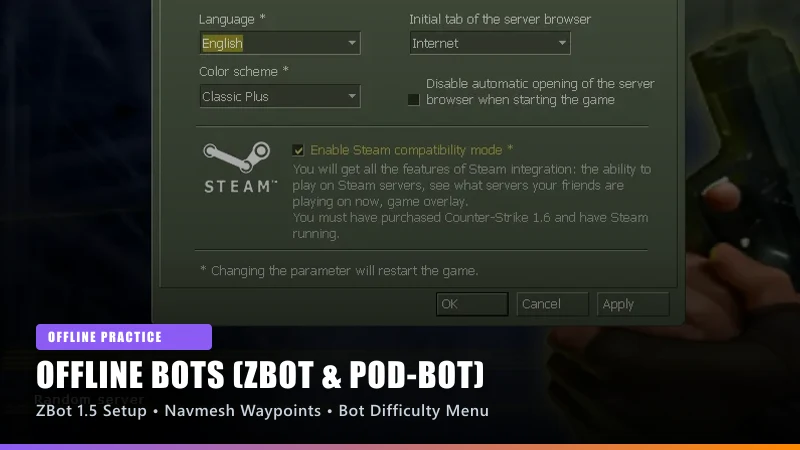
CS 1.6 Offline Bots Guide: Installing ZBot 1.5, POD-Bot & Navmesh Waypoints
Learn how to configure intelligent offline bots in Counter-Strike 1.6 for target practice, warmup routines, and bot navigation on custom maps.
 Support
CS 1.6 Complete Troubleshooting & Error Diagnostics Guide
Diagnose and fix all common Counter-Strike 1.6 errors including CD Key prompts, corrupted masterserver lists, missing DLLs, and black screen freezes.
 Getting Started
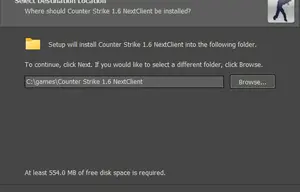
CS 1.6 Installation Guide: Complete Step-by-Step PC Setup
A comprehensive step-by-step guide to installing Counter-Strike 1.6 on Windows 11, 10, 8, and 7 with our ultra-compressed 170 MB setup.