CS 1.6 Pro Edition
Tournament-Grade Minimalist HUD, Anti-Clutter Graphics & Clan Configs
Powered by the unified CS-Down engine with 1-click in-app edition switching and automatic 10–15s mod configuration.
Strip Away Visual Noise for Faster Reaction Times
CS 1.6 Pro Edition takes inspiration from classic IEM, WCG, and ESWC LAN setups: small static green crosshair (`cl_crosshair_size small`), translucent non-distracting radar, minimal spectator bars, and disabled weather effects (`cl_weather 0`) on de_aztec so every pixel on screen serves target acquisition.
Pre-applied gamma calibration brightens dark corners such as de_dust2 lower tunnels and de_nuke vents without breaking color contrast on flashing silhouettes.
Ready-to-Tweak autoexec.cfg for Awpers & Riflers
Instead of cluttering your drive with bloated skins, Pro Edition concentrates on responsive weapon switching (`hud_fastswitch 1`), lowered zoom sensitivity scaling (`zoom_sensitivity_ratio 1.0`), and clean console aliases so riflers and primary AWPers can fine-tune their sensitivity immediately.
Technical Specifications
| Engine Core | GoldSrc Build 8684 (Tournament Profile) |
|---|---|
| Protocol Compatibility | Dual Protocol 47 / 48 |
| Client Security | Autoexec Read-Only Protection |
| Server Discovery | Clean Filtered Public & Gather List |
| Display & Refresh | High-Contrast 32-bit OpenGL |
| Offline Bot AI | Expert-Tunable Aim Practice Bots |
| Audio Subsystem | Clarified Footstep & Reload Channel Balance |
| Disk Footprint | 170 MB Setup (~750 MB Installed) |
Key Features of CS 1.6 Pro Edition
- ✓ Match-ready config
- ✓ Clean HUD & radar
- ✓ Low-distraction graphics
- ✓ 100 FPS / 101 cmdrate
Recommended Console Configuration
CS 1.6 Pro Edition comes pre-configured for optimal performance. Open your in-game console (~) to view or customize these settings:
System Requirements for Windows PC
● Minimum Specifications
- CPU: 800 MHz processor (Intel or AMD)
- RAM: 128 MB RAM (256 MB recommended)
- GPU: 32 MB video card with OpenGL support
- Storage: 800 MB available hard drive space
- OS: Windows XP / Vista / 7 / 8 / 8.1 / 10 / 11
● Recommended Specifications
- CPU: 1.5 GHz multi-core processor
- RAM: 512 MB RAM or higher
- GPU: 128 MB DirectX 9 / OpenGL hardware acceleration
- Storage: 1.2 GB available storage space
- OS: Windows 10 or Windows 11 (24H2 compatible)
Quick Installation Guide
- 1. Download Setup: Click the direct download button above to retrieve
CS-1.6-Pro-Edition-Setup.exe(170 MB). - 2. Run Installer: Launch the installer and follow the standard on-screen wizard to choose your destination directory.
- 3. Select CS 1.6 Pro Edition: Open the client from your desktop shortcut. Select CS 1.6 Pro Edition from the launcher menu with 1 click.
- 4. 10s Auto-Update: The client will configure the edition's custom models, sounds, and server lists automatically in 10–15 seconds.
- 5. Play Online or Practice with Bots: Click "Find Servers" to browse thousands of active community servers, or start a local match to practice offline.
Frequently Asked Questions
What makes Pro Edition different from Clean Edition? ▼
Clean Edition keeps factory Valve defaults everywhere. Pro Edition ships with pre-optimized tournament graphics, small crosshair sizing, disabled weather clutter, and competitive netcode already configured.
Does it include cheat-like scripts like no-recoil? ▼
Never. Pro Edition uses strictly legal console variables and clean standard configs permitted on every community server.
Can I import my own old config.cfg? ▼
Yes. Drop your existing config.cfg or userconfig.cfg into the cstrike/ folder and execute it via console using exec userconfig.cfg.
Related Technical Guides
 Gameplay
CS 1.6 Competitive Pro Tips: Movement, Crosshair Placement & Peeking
Advanced tactical guide covering head-level crosshair placement, jiggle peeking, bunnyhopping, Russian walking (silent run), and sound cues.
 Configuration
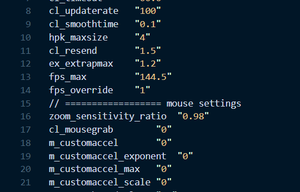
CS 1.6 Autoexec & Userconfig Tuning Guide: Optimal Competitor Settings
Learn how to construct a tournament-legal autoexec.cfg and userconfig.cfg with custom crosshairs, radar optimization, and netcode binds.
 Gameplay
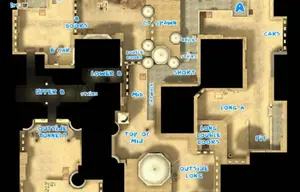
CS 1.6 Definitive Map Tactics Guide: Dust2, Inferno, Nuke & Train
Tactical walkthroughs, smoke lineups, flashbang angles, callouts, and default setups for the top competitive Counter-Strike 1.6 maps.