CS 1.6 PlayBoy Edition
Signature Pink-Black Interface, Custom Reskinned Arsenal & Stylized Player Models

Powered by the unified CS-Down engine with 1-click in-app edition switching and automatic 10–15s mod configuration.
Distinctive Custom Menu Artwork & Stylized Weapon Skins
CS 1.6 PlayBoy Edition replaces the utilitarian olive-green GoldSrc menu with sleek monochrome-and-magenta menu art, matching buy icons, and customized weapon finishes across rifles, pistols, and knives.
Behind the stylized makeover, core ballistics, recoil reset intervals, and movement speed remain untouched so transitions from standard 1.6 feel completely natural.
Built-In Protection & Easy Switching Between Profiles
Includes client-side anti-slowhack guards so external servers cannot alter your GameMenu links or bind keys without permission. Packaged cleanly in the unified 170 MB CS-Down installer.
Technical Specifications
| Engine Core | GoldSrc Build 8684 (Themed Client) |
|---|---|
| Protocol Compatibility | Dual Protocol 47 / 48 |
| Client Security | Config & Keybind Slowhack Guard |
| Server Discovery | 2026 Verified Public MasterServer |
| Display & Refresh | Themed Widescreen & 4:3 Support |
| Offline Bot AI | Preloaded Offline Bots ('H' Menu) |
| Audio Subsystem | Updated Menu Theme + Stock Game SFX |
| Disk Footprint | 170 MB Setup (~820 MB Installed) |
Key Features of CS 1.6 PlayBoy Edition
- ✓ Custom player models
- ✓ Stylized menu GUI
- ✓ Reskinned weapons
- ✓ Standard 1.6 physics
Recommended Console Configuration
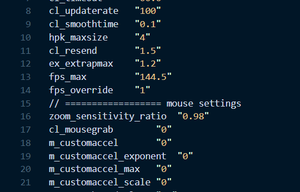
CS 1.6 PlayBoy Edition comes pre-configured for optimal performance. Open your in-game console (~) to view or customize these settings:
System Requirements for Windows PC
● Minimum Specifications
- CPU: 800 MHz processor (Intel or AMD)
- RAM: 128 MB RAM (256 MB recommended)
- GPU: 32 MB video card with OpenGL support
- Storage: 800 MB available hard drive space
- OS: Windows XP / Vista / 7 / 8 / 8.1 / 10 / 11
● Recommended Specifications
- CPU: 1.5 GHz multi-core processor
- RAM: 512 MB RAM or higher
- GPU: 128 MB DirectX 9 / OpenGL hardware acceleration
- Storage: 1.2 GB available storage space
- OS: Windows 10 or Windows 11 (24H2 compatible)
Quick Installation Guide
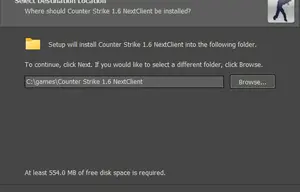
- 1. Download Setup: Click the direct download button above to retrieve
CS-1.6-PlayBoy-Edition-Setup.exe(170 MB). - 2. Run Installer: Launch the installer and follow the standard on-screen wizard to choose your destination directory.
- 3. Select CS 1.6 PlayBoy Edition: Open the client from your desktop shortcut. Select CS 1.6 PlayBoy Edition from the launcher menu with 1 click.
- 4. 10s Auto-Update: The client will configure the edition's custom models, sounds, and server lists automatically in 10–15 seconds.
- 5. Play Online or Practice with Bots: Click "Find Servers" to browse thousands of active community servers, or start a local match to practice offline.
Frequently Asked Questions
If a server enforces cl_minmodels, will my skins still show? ▼
Weapon skins on your hands (v_ models) always stay visible, whereas player skins depend on your local cl_minmodels 0 setting unless restricted by a tournament plugin.
Is PlayBoy Edition safe to download on Windows 11? ▼
Yes. Every CS-Down client package is cleanly built without adware, miners, or bundled installers.
Related Technical Guides
 Getting Started
CS 1.6 Installation Guide: Complete Step-by-Step PC Setup
A comprehensive step-by-step guide to installing Counter-Strike 1.6 on Windows 11, 10, 8, and 7 with our ultra-compressed 170 MB setup.
 Support
CS 1.6 Complete Troubleshooting & Error Diagnostics Guide
Diagnose and fix all common Counter-Strike 1.6 errors including CD Key prompts, corrupted masterserver lists, missing DLLs, and black screen freezes.
 Configuration
CS 1.6 Autoexec & Userconfig Tuning Guide: Optimal Competitor Settings
Learn how to construct a tournament-legal autoexec.cfg and userconfig.cfg with custom crosshairs, radar optimization, and netcode binds.