CS 1.6 Next Client
Modern Open-Source Client with Steam Avatars, FastDL HTTP & CSX Guard
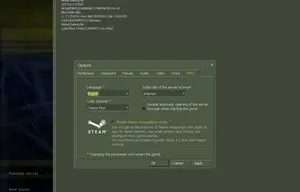
Powered by the unified CS-Down engine with 1-click in-app edition switching and automatic 10–15s mod configuration.
The NextClient Revolution in GoldSrc Gaming
NextClient represents the most significant technological evolution in the history of Counter-Strike 1.6 non-Steam clients. Developed as an open-source modernization initiative, NextClient bridges the gap between the classic 2003 GoldSrc engine and modern software standards.
Featuring complete UTF-8 Unicode support, enhanced multi-threaded network decoding, and seamless graphical updates, NextClient provides the smoothest, most feature-rich CS 1.6 experience available today.
Steam Avatar Synchronization on Non-Steam Servers
In standard non-Steam clients, the scoreboard displays blank player icons, making it difficult to identify teammates in fast-paced competitive matches. NextClient introduces an innovative avatar synchronization protocol that pulls authentic Steam avatars for all connected players.
Avatars render in crisp high resolution directly on the scoreboard (TAB), in the killfeed notifications, and on the spectator camera overlay.
Modernized Scoreboard HUD with Teammate Economy
NextClient revamps the classic in-game scoreboard into a powerful tactical command center. Without requiring any custom server plugins, the scoreboard displays your teammates real-time health points (HP), armor status, current primary weapon, and remaining money ($).
This enables tournament-level team coordination, allowing you to instantly assess buy rounds, force buys, and eco rounds with a single glance at the scoreboard.
Multi-Threaded HTTP/HTTPS FastDL & CSX Guard Security
Say goodbye to sluggish, crawling GoldSrc file downloads when joining modded servers. NextClient incorporates an asynchronous HTTP/HTTPS downloader that downloads custom maps, sounds, and models at the full speed of your broadband connection.
For security, NextClient is armed with CSX Guard, an advanced memory integrity shield that completely prevents remote code execution, auto-exec script overrides, and malicious server redirect attacks.
Technical Specifications
| Engine Core | NextClient Open-Source Core (GoldSrc Modernized) |
|---|---|
| Protocol Compatibility | Dual Protocol 47 / 48 with Steam ID Emulation |
| Client Security | CSX Guard Exploit Shield & Anti-Slowhack Filter |
| Server Discovery | Advanced NextClient MasterServer with Tag Filtering |
| Display & Refresh | Native High-DPI UI Scaling • 144Hz / 240Hz Uncapped |
| Offline Bot AI | Integrated ZBot with Auto-Nav Generation |
| Audio Subsystem | FMOD / Miles Hybrid High-Definition Sound |
| Disk Footprint | 170.80 MB Setup (~800 MB Installed) |
Key Features of CS 1.6 Next Client
- ✓ NextClient engine API
- ✓ Async fast download
- ✓ Performance fixes
- ✓ Strict anti-slowhack
Recommended Console Configuration
CS 1.6 Next Client comes pre-configured for optimal performance. Open your in-game console (~) to view or customize these settings:
System Requirements for Windows PC
● Minimum Specifications
- CPU: 800 MHz processor (Intel or AMD)
- RAM: 128 MB RAM (256 MB recommended)
- GPU: 32 MB video card with OpenGL support
- Storage: 800 MB available hard drive space
- OS: Windows XP / Vista / 7 / 8 / 8.1 / 10 / 11
● Recommended Specifications
- CPU: 1.5 GHz multi-core processor
- RAM: 512 MB RAM or higher
- GPU: 128 MB DirectX 9 / OpenGL hardware acceleration
- Storage: 1.2 GB available storage space
- OS: Windows 10 or Windows 11 (24H2 compatible)
Quick Installation Guide
- 1. Download Setup: Click the direct download button above to retrieve
CS-1.6-Next-Client-Setup.exe(170 MB). - 2. Run Installer: Launch the installer and follow the standard on-screen wizard to choose your destination directory.
- 3. Select CS 1.6 Next Client: Open the client from your desktop shortcut. Select CS 1.6 Next Client from the launcher menu with 1 click.
- 4. 10s Auto-Update: The client will configure the edition's custom models, sounds, and server lists automatically in 10–15 seconds.
- 5. Play Online or Practice with Bots: Click "Find Servers" to browse thousands of active community servers, or start a local match to practice offline.
Frequently Asked Questions
What makes NextClient better than standard CS 1.6 clients? ▼
NextClient incorporates modern quality-of-life enhancements: Steam avatar sync, teammate health and money display on the scoreboard, ultra-fast HTTP map downloading, and CSX Guard exploit protection.
How does NextClient display Steam avatars on non-Steam servers? ▼
NextClient features an integrated avatar resolution protocol that securely queries public profile avatars for SteamID users and renders them natively in your scoreboard and killfeed.
Does NextClient protect my PC from malicious servers? ▼
Yes. NextClient features the industry-standard CSX Guard, which actively prevents servers from running unauthorized console commands, modifying your configuration, or redirecting your client.
Why do maps and models download faster in NextClient? ▼
NextClient bypasses the legacy single-threaded GoldSrc download protocol and downloads files via parallel HTTP/HTTPS streams, allowing custom server assets to download in seconds.
Related Technical Guides
 Advanced
CS 1.6 FastDL & ReHLDS Server Acceleration Guide 2026
Learn how to set up lightning-fast map and sound downloads for your CS 1.6 server using sv_downloadurl, Nginx / Cloudflare FastDL mirrors, and ReHLDS.
 Performance
CS 1.6 Professional Netcode & Rates Guide: Eliminating Choke, Loss & Hitreg Delay
Master the GoldSrc network engine. Configure rate, cl_updaterate, cl_cmdrate, and ex_interp to achieve zero choke, zero loss, and flawless bullet registration on online servers.
 Performance
CS 1.6 Comprehensive FPS Optimization Guide for Low & High-End PCs
Maximize your framerates and minimize frametime variance with battle-tested GoldSrc engine commands, video settings, and operating system tweaks.