CS 1.6 Minecraft Edition
Blocky Voxel Characters, Pixel-Crafted Rifles & Cubic de_dust2 Overhaul
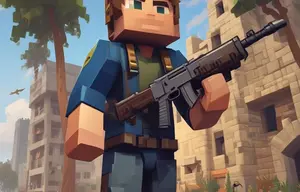
Powered by the unified CS-Down engine with 1-click in-app edition switching and automatic 10–15s mod configuration.
When Tactical GoldSrc Gunplay Meets Blocky Sandbox Art
CS 1.6 Minecraft Edition remakes characters, first-person arms, grenades, knives (diamond sword/pickaxe style!), and classic bomb-defusal textures in playful 16x16 voxel pixel art—while keeping Counter-Strike 1.6's crisp spray control and snappy movement completely intact.
Playing classic rounds with cubic character silhouettes and pixel weapon models turns familiar choke points on dust2 and inferno into an unforgettable arcade crossover.
Ultra-Fast Rendering & Kid-Friendly LAN Party Fun
Blocky low-frequency textures render effortlessly on nearly any PC, making Minecraft Edition a blast for casual LAN parties, streamers, and custom fun-server nights.
Technical Specifications
| Engine Core | GoldSrc Build 8684 (Voxel Pack) |
|---|---|
| Protocol Compatibility | Dual Protocol 47 / 48 |
| Client Security | Anti-Slowhack Safe Installer |
| Server Discovery | Public & Fun Server Compatible |
| Display & Refresh | Crisp Pixel-Art Widescreen Support |
| Offline Bot AI | Offline Bot Skirmishes Ready |
| Audio Subsystem | Hybrid Pixel Hit & Classic Weapon SFX |
| Disk Footprint | 170 MB Setup (~790 MB Installed) |
Key Features of CS 1.6 Minecraft Edition
- ✓ Voxel block textures
- ✓ Crafted weapon models
- ✓ Pixel character skins
- ✓ Classic 1.6 gunplay
Recommended Console Configuration
CS 1.6 Minecraft Edition comes pre-configured for optimal performance. Open your in-game console (~) to view or customize these settings:
System Requirements for Windows PC
● Minimum Specifications
- CPU: 800 MHz processor (Intel or AMD)
- RAM: 128 MB RAM (256 MB recommended)
- GPU: 32 MB video card with OpenGL support
- Storage: 800 MB available hard drive space
- OS: Windows XP / Vista / 7 / 8 / 8.1 / 10 / 11
● Recommended Specifications
- CPU: 1.5 GHz multi-core processor
- RAM: 512 MB RAM or higher
- GPU: 128 MB DirectX 9 / OpenGL hardware acceleration
- Storage: 1.2 GB available storage space
- OS: Windows 10 or Windows 11 (24H2 compatible)
Quick Installation Guide
- 1. Download Setup: Click the direct download button above to retrieve
CS-1.6-Minecraft-Edition-Setup.exe(170 MB). - 2. Run Installer: Launch the installer and follow the standard on-screen wizard to choose your destination directory.
- 3. Select CS 1.6 Minecraft Edition: Open the client from your desktop shortcut. Select CS 1.6 Minecraft Edition from the launcher menu with 1 click.
- 4. 10s Auto-Update: The client will configure the edition's custom models, sounds, and server lists automatically in 10–15 seconds.
- 5. Play Online or Practice with Bots: Click "Find Servers" to browse thousands of active community servers, or start a local match to practice offline.
Frequently Asked Questions
Are player hitboxes actually square blocks in Minecraft Edition? ▼
Models look blocky visually, while server collision hitboxes remain standard CS 1.6 capsules so online gameplay stays completely fair.
Can I sharpen the Minecraft pixels even further? ▼
Yes—entering gl_texturemode GL_NEAREST in console gives wall and skin textures authentic crisp pixel edges.
Related Technical Guides
 Performance
CS 1.6 Comprehensive FPS Optimization Guide for Low & High-End PCs
Maximize your framerates and minimize frametime variance with battle-tested GoldSrc engine commands, video settings, and operating system tweaks.
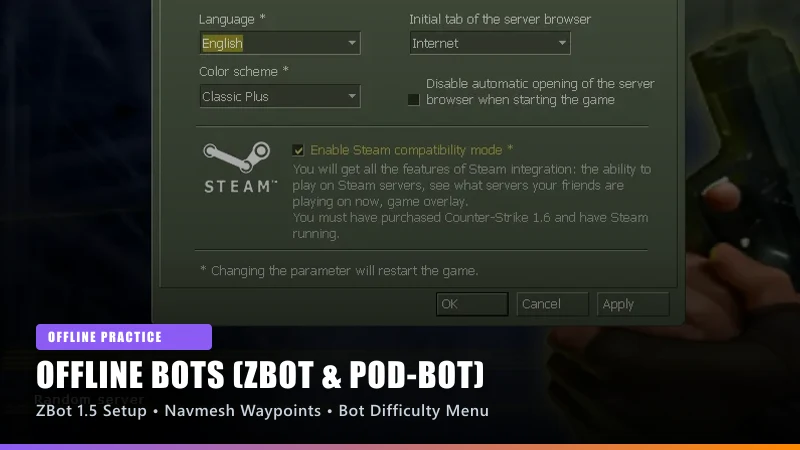 Gameplay
CS 1.6 Offline Bots Guide: Installing ZBot 1.5, POD-Bot & Navmesh Waypoints
Learn how to configure intelligent offline bots in Counter-Strike 1.6 for target practice, warmup routines, and bot navigation on custom maps.
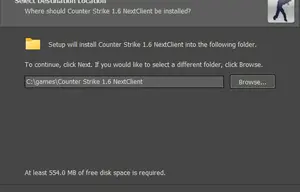 Getting Started
CS 1.6 Installation Guide: Complete Step-by-Step PC Setup
A comprehensive step-by-step guide to installing Counter-Strike 1.6 on Windows 11, 10, 8, and 7 with our ultra-compressed 170 MB setup.