CS 1.6 Lietuviška versija
Lietuviška Sąsaja, Baltic Low-Ping Community Hub & Lightweight Footprint
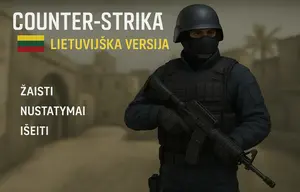
Powered by the unified CS-Down engine with 1-click in-app edition switching and automatic 10–15s mod configuration.
Lithuanian Interface & Baltic Server Compatibility
CS 1.6 Lietuviška versija honors one of Northern Europe's most loyal CS 1.6 playerbases with full Lithuanian menu translation, familiar classic visuals, and smooth Dual Protocol support for Lithuanian, Latvian, and Nordic community public servers.
With zero cluttered bloatware or distracting audio overrides, it launches in seconds even on modest home PCs and laptops.
Plug-and-Play Offline Bots & Safe Networking
Includes full offline bot support for local practice plus active anti-slowhack safeguards to keep your controls and favorites protected across public servers.
Technical Specifications
| Engine Core | GoldSrc Build 8684 (LT Edition) |
|---|---|
| Protocol Compatibility | Dual Protocol 47 / 48 |
| Client Security | Client Config Lock & Menu Guard |
| Server Discovery | Baltic & EU Server Discovery |
| Display & Refresh | Widescreen 16:9 & Classic 4:3 |
| Offline Bot AI | Full ZBot Offline Practice Support |
| Audio Subsystem | Original Counter-Strike Sound System |
| Disk Footprint | 170 MB Setup (~770 MB Installed) |
Key Features of CS 1.6 Lietuviška versija
- ✓ Lithuanian menu GUI
- ✓ Baltic server list
- ✓ Classic gameplay
- ✓ Lightweight setup
Recommended Console Configuration
CS 1.6 Lietuviška versija comes pre-configured for optimal performance. Open your in-game console (~) to view or customize these settings:
System Requirements for Windows PC
● Minimum Specifications
- CPU: 800 MHz processor (Intel or AMD)
- RAM: 128 MB RAM (256 MB recommended)
- GPU: 32 MB video card with OpenGL support
- Storage: 800 MB available hard drive space
- OS: Windows XP / Vista / 7 / 8 / 8.1 / 10 / 11
● Recommended Specifications
- CPU: 1.5 GHz multi-core processor
- RAM: 512 MB RAM or higher
- GPU: 128 MB DirectX 9 / OpenGL hardware acceleration
- Storage: 1.2 GB available storage space
- OS: Windows 10 or Windows 11 (24H2 compatible)
Quick Installation Guide
- 1. Download Setup: Click the direct download button above to retrieve
CS-1.6-Lithuanian-Edition-Setup.exe(170 MB). - 2. Run Installer: Launch the installer and follow the standard on-screen wizard to choose your destination directory.
- 3. Select CS 1.6 Lietuviška versija: Open the client from your desktop shortcut. Select CS 1.6 Lietuviška versija from the launcher menu with 1 click.
- 4. 10s Auto-Update: The client will configure the edition's custom models, sounds, and server lists automatically in 10–15 seconds.
- 5. Play Online or Practice with Bots: Click "Find Servers" to browse thousands of active community servers, or start a local match to practice offline.
Frequently Asked Questions
Can I play with friends outside Lithuania on this build? ▼
Yes. Language localization only changes local menus; networking uses standard Dual Protocol 47/48 for global servers.
Does it come with bots pre-installed? ▼
Yes. Choose New Game in the Lithuanian menu and check the CPU bot option to start an offline match immediately.
Related Technical Guides
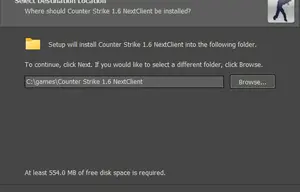 Getting Started
CS 1.6 Installation Guide: Complete Step-by-Step PC Setup
A comprehensive step-by-step guide to installing Counter-Strike 1.6 on Windows 11, 10, 8, and 7 with our ultra-compressed 170 MB setup.
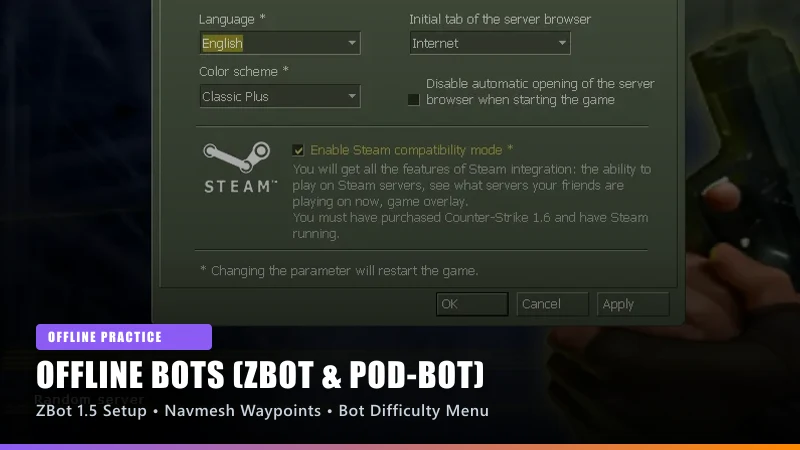 Gameplay
CS 1.6 Offline Bots Guide: Installing ZBot 1.5, POD-Bot & Navmesh Waypoints
Learn how to configure intelligent offline bots in Counter-Strike 1.6 for target practice, warmup routines, and bot navigation on custom maps.
 Support
CS 1.6 Complete Troubleshooting & Error Diagnostics Guide
Diagnose and fix all common Counter-Strike 1.6 errors including CD Key prompts, corrupted masterserver lists, missing DLLs, and black screen freezes.