CS 1.6 CS2 Edition
CS 1.6 CS2 Edition — Free High-Speed Client Download with Custom Features
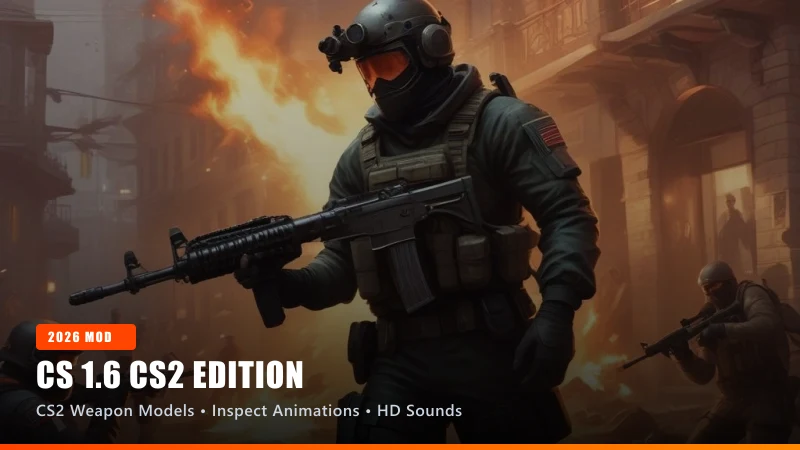
Powered by the unified CS-Down engine with 1-click in-app edition switching and automatic 10–15s mod configuration.
Overview of CS 1.6 CS2 Edition
CS 1.6 CS2 Edition is a dedicated release of Counter-Strike 1.6 designed to deliver a tailored gaming experience. Counter-Strike 2 aesthetics on GoldSrc with inspect animations, modern audio, and CS2 weapon models.
Engineered on the reliable GoldSrc engine with Dual Protocol 47/48 support, this client connects seamlessly to online community servers while offering offline practice with pre-configured AI bots.
Performance & Optimization Highlights
Optimized for modern Windows 11, Windows 10, and legacy Windows 7 gaming systems. The setup file is ultra-compressed to 170 MB for instant downloading, expanding to approximately 800 MB of verified, virus-free game files upon installation.
Features anti-slowhack protection, locking your configuration against malicious server commands and preserving your custom keybindings.
Multiplayer & Server Browser Integration
The integrated masterserver gives you immediate access to thousands of worldwide community servers across all popular game modes, including Public, Deathmatch, GunGame, and Zombie Plague.
Low ping sorting and active spam filtering ensure you spend less time searching and more time playing.
Technical Specifications
| Engine Core | GoldSrc Engine (Build 8684 Compatible) |
|---|---|
| Protocol Compatibility | Dual Protocol 47 / 48 (Connects to all public servers) |
| Client Security | Anti-Slowhack Guard & Clean Config Protection |
| Server Discovery | Active 2026 MasterServer with Global Listings |
| Display & Refresh | 16:9, 16:10 Widescreen & 4:3 Standard Displays |
| Offline Bot AI | Integrated AI Bots with in-game "H" Hotkey Menu |
| Audio Subsystem | Standard High-Fidelity GoldSrc Audio |
| Disk Footprint | 170.80 MB Setup (~800 MB Installed) |
Key Features of CS 1.6 CS2 Edition
- ✓ CS2 weapon models
- ✓ Weapon inspect animations
- ✓ CS2 audio effects
- ✓ High-definition HUD
- ✓ Classic 1.6 physics
Recommended Console Configuration
CS 1.6 CS2 Edition comes pre-configured for optimal performance. Open your in-game console (~) to view or customize these settings:
System Requirements for Windows PC
● Minimum Specifications
- CPU: 800 MHz processor (Intel or AMD)
- RAM: 128 MB RAM (256 MB recommended)
- GPU: 32 MB video card with OpenGL support
- Storage: 800 MB available hard drive space
- OS: Windows XP / Vista / 7 / 8 / 8.1 / 10 / 11
● Recommended Specifications
- CPU: 1.5 GHz multi-core processor
- RAM: 512 MB RAM or higher
- GPU: 128 MB DirectX 9 / OpenGL hardware acceleration
- Storage: 1.2 GB available storage space
- OS: Windows 10 or Windows 11 (24H2 compatible)
Quick Installation Guide
- 1. Download Setup: Click the direct download button above to retrieve
CS-1.6-CS2-Edition-Setup.exe(170 MB). - 2. Run Installer: Launch the installer and follow the standard on-screen wizard to choose your destination directory.
- 3. Select CS 1.6 CS2 Edition: Open the client from your desktop shortcut. Select CS 1.6 CS2 Edition from the launcher menu with 1 click.
- 4. 10s Auto-Update: The client will configure the edition's custom models, sounds, and server lists automatically in 10–15 seconds.
- 5. Play Online or Practice with Bots: Click "Find Servers" to browse thousands of active community servers, or start a local match to practice offline.
Frequently Asked Questions
Is CS 1.6 CS2 Edition free to download and play? ▼
Yes, 100%. All clients distributed on CS-Down.me are completely free standalone downloads with no hidden subscriptions, product keys, or registrations.
Can I play CS 1.6 CS2 Edition on Windows 11? ▼
Yes. All downloads are tested and verified for Windows 11 and Windows 10, featuring native OpenGL rendering and high-DPI display compatibility.
Does CS 1.6 CS2 Edition include offline bot support? ▼
Yes. Every client includes pre-configured AI bots. You can start a local match from the main menu and use the "H" menu to adjust bot count and difficulty.
Can I play online on community servers with CS 1.6 CS2 Edition? ▼
Yes. With built-in Dual Protocol 47/48 support and an active 2026 MasterServer, you can browse and connect to thousands of live public servers worldwide.
Related Technical Guides
 Getting Started
CS 1.6 Installation Guide: Complete Step-by-Step PC Setup
A comprehensive step-by-step guide to installing Counter-Strike 1.6 on Windows 11, 10, 8, and 7 with our ultra-compressed 170 MB setup.
 Performance
CS 1.6 Comprehensive FPS Optimization Guide for Low & High-End PCs
Maximize your framerates and minimize frametime variance with battle-tested GoldSrc engine commands, video settings, and operating system tweaks.
 Support
CS 1.6 Complete Troubleshooting & Error Diagnostics Guide
Diagnose and fix all common Counter-Strike 1.6 errors including CD Key prompts, corrupted masterserver lists, missing DLLs, and black screen freezes.