CS 1.6 Christmas Edition
Snow-Covered Dust2 & Italy, Santa Hats, Gift C4 Models & Winter Audio
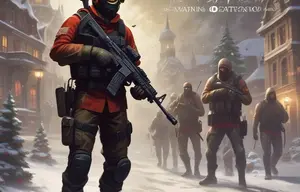
Powered by the unified CS-Down engine with 1-click in-app edition switching and automatic 10–15s mod configuration.
Winter Wonderland Visuals on Classic Counter-Strike Maps
CS 1.6 Christmas Edition transforms fan-favorite arenas like de_dust2, de_inferno, and cs_italy with crisp winter snow ground textures, twinkling fairy-light props, wrapped gift-box C4 models, and red/blue Santa hats on Terrorists and Counter-Terrorists.
Snowfall effects add seasonal charm without blinding sniper sightlines, while cheerful holiday acoustic intros bring festive energy to December LAN sessions.
Lighthearted Holiday Fun with Full Server Compatibility
All map geometry collisions and player hitbox bounds stay true to vanilla CS 1.6, so you can jump straight onto standard public servers wearing your festive reskins cleanly.
Technical Specifications
| Engine Core | GoldSrc Build 8684 (Winter Pack) |
|---|---|
| Protocol Compatibility | Dual Protocol 47 / 48 |
| Client Security | Clean Anti-Slowhack Protection |
| Server Discovery | 2026 Verified MasterServer |
| Display & Refresh | Snow-Balanced Brightness & Widescreen |
| Offline Bot AI | Festive Bots Offline Support |
| Audio Subsystem | Holiday Main Menu Theme + Crisp SFX |
| Disk Footprint | 170 MB Setup (~840 MB Installed) |
Key Features of CS 1.6 Christmas Edition
- ✓ Winter snow textures
- ✓ Holiday player hats
- ✓ Festive menu music
- ✓ Winter classic maps
Recommended Console Configuration
CS 1.6 Christmas Edition comes pre-configured for optimal performance. Open your in-game console (~) to view or customize these settings:
System Requirements for Windows PC
● Minimum Specifications
- CPU: 800 MHz processor (Intel or AMD)
- RAM: 128 MB RAM (256 MB recommended)
- GPU: 32 MB video card with OpenGL support
- Storage: 800 MB available hard drive space
- OS: Windows XP / Vista / 7 / 8 / 8.1 / 10 / 11
● Recommended Specifications
- CPU: 1.5 GHz multi-core processor
- RAM: 512 MB RAM or higher
- GPU: 128 MB DirectX 9 / OpenGL hardware acceleration
- Storage: 1.2 GB available storage space
- OS: Windows 10 or Windows 11 (24H2 compatible)
Quick Installation Guide
- 1. Download Setup: Click the direct download button above to retrieve
CS-1.6-Christmas-Edition-Setup.exe(170 MB). - 2. Run Installer: Launch the installer and follow the standard on-screen wizard to choose your destination directory.
- 3. Select CS 1.6 Christmas Edition: Open the client from your desktop shortcut. Select CS 1.6 Christmas Edition from the launcher menu with 1 click.
- 4. 10s Auto-Update: The client will configure the edition's custom models, sounds, and server lists automatically in 10–15 seconds.
- 5. Play Online or Practice with Bots: Click "Find Servers" to browse thousands of active community servers, or start a local match to practice offline.
Frequently Asked Questions
What crosshair color works best against white snow maps? ▼
Switch to dark red, blue, or enable translucent 0 in Options > Multiplayer so your crosshair never blends into snow textures.
Do snow effects drop FPS on low-end laptops? ▼
Barely, and typing cl_weather 0 in console disables falling snow particles instantly while keeping the festive skins intact.
Related Technical Guides
 Performance
CS 1.6 Comprehensive FPS Optimization Guide for Low & High-End PCs
Maximize your framerates and minimize frametime variance with battle-tested GoldSrc engine commands, video settings, and operating system tweaks.
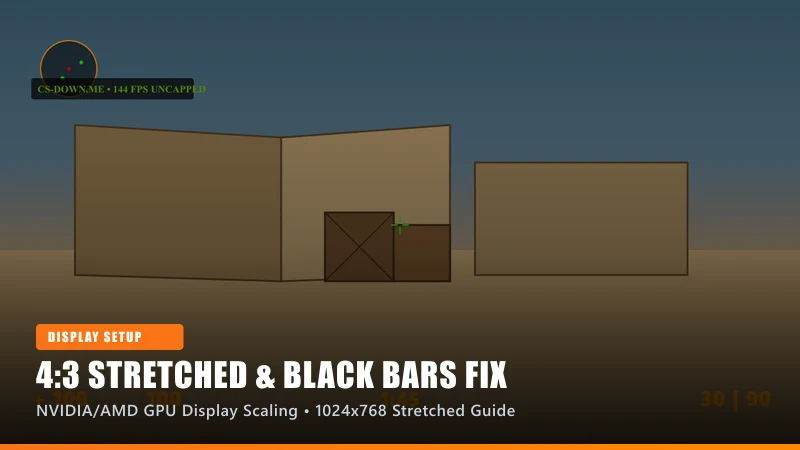 Display
CS 1.6 Stretched 4:3 Resolution & Black Bars Fix (NVIDIA, AMD & Intel)
Step-by-step guide to removing side black bars, configuring 4:3 stretched resolution (800x600 & 1024x768), and optimizing GPU display scaling on modern widescreen monitors.
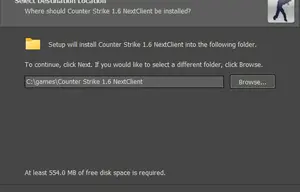 Getting Started
CS 1.6 Installation Guide: Complete Step-by-Step PC Setup
A comprehensive step-by-step guide to installing Counter-Strike 1.6 on Windows 11, 10, 8, and 7 with our ultra-compressed 170 MB setup.