CS 1.6 Build 4554
Legendary 2009 Protocol 48 Client for HNS, KZ, Surf & Classic Movement
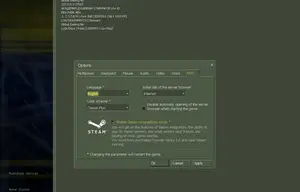
Powered by the unified CS-Down engine with 1-click in-app edition switching and automatic 10–15s mod configuration.
Why Movement Players Still Swear by Build 4554
Released in 2009 right before Valve's sweeping 2013 SteamPipe engine rewrite altered mouse acceleration, font rendering, and duck-spam timing, Build 4554 remains the gold standard for Kreedz climbing (KZ), Hide'N'Seek (HNS), Deathrun, and Surf servers.
Framerate pacing (`fps_max`), strafe-sync consistency, and predictable duck-bhop window behavior remain faithful to the classic 4554 executable profile without forcing modern UI wrappers on top.
Minimal Overhead & Clean Config Sandbox
Build 4554 ships with vanilla VGUI menus, clean userconfig hooks, and zero background browser overlay scripts. Custom aliases for `dev`, longjump timing indicators, and surf turn binds execute without unexpected cvar blocking.
Technical Specifications
| Engine Core | GoldSrc Protocol 48 (Build 4554 Classic Profile) |
|---|---|
| Protocol Compatibility | Native Protocol 48 + Legacy 47 Bridge |
| Client Security | Anti-Slowhack Safe CFG Lock |
| Server Discovery | KZ / HNS / Surf Compatible Server List |
| Display & Refresh | Low-Latency OpenGL 32-bit Rendering |
| Offline Bot AI | Local Practice Bots Included |
| Audio Subsystem | Original Miles Fast 2D Positional Audio |
| Disk Footprint | 170 MB Setup (~680 MB Installed) |
Key Features of CS 1.6 Build 4554
- ✓ Protocol 48 Build 4554
- ✓ Bhop & HNS movement
- ✓ Minimal CPU footprint
- ✓ Stock sprites & sounds
Recommended Console Configuration
CS 1.6 Build 4554 comes pre-configured for optimal performance. Open your in-game console (~) to view or customize these settings:
System Requirements for Windows PC
● Minimum Specifications
- CPU: 800 MHz processor (Intel or AMD)
- RAM: 128 MB RAM (256 MB recommended)
- GPU: 32 MB video card with OpenGL support
- Storage: 800 MB available hard drive space
- OS: Windows XP / Vista / 7 / 8 / 8.1 / 10 / 11
● Recommended Specifications
- CPU: 1.5 GHz multi-core processor
- RAM: 512 MB RAM or higher
- GPU: 128 MB DirectX 9 / OpenGL hardware acceleration
- Storage: 1.2 GB available storage space
- OS: Windows 10 or Windows 11 (24H2 compatible)
Quick Installation Guide
- 1. Download Setup: Click the direct download button above to retrieve
CS-1.6-Build-4554-Setup.exe(170 MB). - 2. Run Installer: Launch the installer and follow the standard on-screen wizard to choose your destination directory.
- 3. Select CS 1.6 Build 4554: Open the client from your desktop shortcut. Select CS 1.6 Build 4554 from the launcher menu with 1 click.
- 4. 10s Auto-Update: The client will configure the edition's custom models, sounds, and server lists automatically in 10–15 seconds.
- 5. Play Online or Practice with Bots: Click "Find Servers" to browse thousands of active community servers, or start a local match to practice offline.
Frequently Asked Questions
Why choose Build 4554 over CS 1.6 2026 Edition? ▼
If you prioritize classic 2009 Pre-SteamPipe movement feel for Kreedz, HNS, or Surf, Build 4554 matches legacy server physics closely. For casual pubs and 240Hz Windows 11 tuning, 2026 Edition is more modern.
Does Build 4554 work on Windows 11? ▼
Yes. The CS-Down package includes modern Windows 11 compatibility shims so Build 4554 launches cleanly under OpenGL without black screen crashes.
Can I use scroll-wheel duck and jump binds? ▼
Yes. Binding mwheeldown +jump and mwheelup +duck works natively in Build 4554 for bunnyhopping and SGS/GS timing.
Related Technical Guides
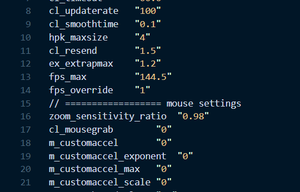 Configuration
CS 1.6 Autoexec & Userconfig Tuning Guide: Optimal Competitor Settings
Learn how to construct a tournament-legal autoexec.cfg and userconfig.cfg with custom crosshairs, radar optimization, and netcode binds.
 Performance
CS 1.6 Comprehensive FPS Optimization Guide for Low & High-End PCs
Maximize your framerates and minimize frametime variance with battle-tested GoldSrc engine commands, video settings, and operating system tweaks.
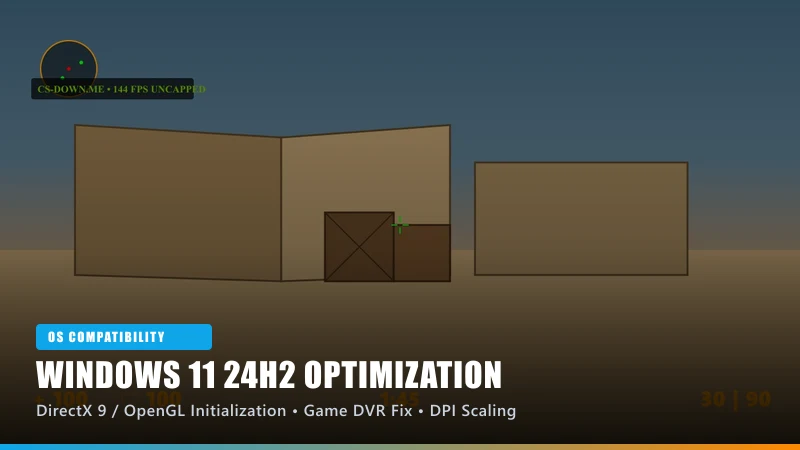 Compatibility
CS 1.6 Windows 11 (24H2) Optimization & Crash Fix Guide
The ultimate technical guide to running Counter-Strike 1.6 flawlessly on Windows 11 and Windows 10 without crashes, input lag, or 60 FPS caps.