CS 1.6 AKA Edition
Custom Dark-Steel Tactical HUD, Sleek Weapon Models & Punched Audio
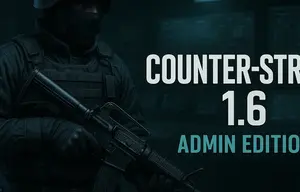
Powered by the unified CS-Down engine with 1-click in-app edition switching and automatic 10–15s mod configuration.
Streamlined Dark Tactical Interface & Custom Models
The CS 1.6 AKA Edition is a community-crafted overhaul built around an uncluttered dark-graphite menu theme, refined crimson-accented kill icons, and lightly modernized weapon viewmodels that keep classic 1.6 proportions while looking sharper on 1080p screens.
Sound packs have been remixed for punchier AK-47, M4A1, and Deagle feedback without drowning out subtle enemy footsteps or bomb-plant beeps.
Balanced Daily-Driver Setup for Public & Aim Servers
Pre-bundled with crisp crosshair presets and sensible buy binds, AKA Edition feels tuned right from first launch—whether warming up on aim_map or dropping into 32-player de_dust2 pubs.
Technical Specifications
| Engine Core | GoldSrc Build 8684 (AKA Modpack) |
|---|---|
| Protocol Compatibility | Dual Protocol 47 / 48 |
| Client Security | Anti-Slowhack Server Firewall |
| Server Discovery | 2026 Verified Community MasterServer |
| Display & Refresh | Dark VGUI Theme (4:3 & 16:9 Scaled) |
| Offline Bot AI | Integrated Offline Practice Bots |
| Audio Subsystem | Remixed High-Clarity Weapon Audio |
| Disk Footprint | 170 MB Setup (~820 MB Installed) |
Key Features of CS 1.6 AKA Edition
- ✓ Dark tactical HUD
- ✓ Custom HD skins
- ✓ Punchy sound overhaul
- ✓ Tuned autoexec.cfg
Recommended Console Configuration
CS 1.6 AKA Edition comes pre-configured for optimal performance. Open your in-game console (~) to view or customize these settings:
System Requirements for Windows PC
● Minimum Specifications
- CPU: 800 MHz processor (Intel or AMD)
- RAM: 128 MB RAM (256 MB recommended)
- GPU: 32 MB video card with OpenGL support
- Storage: 800 MB available hard drive space
- OS: Windows XP / Vista / 7 / 8 / 8.1 / 10 / 11
● Recommended Specifications
- CPU: 1.5 GHz multi-core processor
- RAM: 512 MB RAM or higher
- GPU: 128 MB DirectX 9 / OpenGL hardware acceleration
- Storage: 1.2 GB available storage space
- OS: Windows 10 or Windows 11 (24H2 compatible)
Quick Installation Guide
- 1. Download Setup: Click the direct download button above to retrieve
CS-1.6-AKA-Edition-Setup.exe(170 MB). - 2. Run Installer: Launch the installer and follow the standard on-screen wizard to choose your destination directory.
- 3. Select CS 1.6 AKA Edition: Open the client from your desktop shortcut. Select CS 1.6 AKA Edition from the launcher menu with 1 click.
- 4. 10s Auto-Update: The client will configure the edition's custom models, sounds, and server lists automatically in 10–15 seconds.
- 5. Play Online or Practice with Bots: Click "Find Servers" to browse thousands of active community servers, or start a local match to practice offline.
Frequently Asked Questions
Does AKA Edition break compatibility with standard servers? ▼
No. Model sizes, textures, and menus are client-side only; servers validate standard map files and let you join normally.
Are the dark HUD menus legible on 1920x1080? ▼
Yes. Both the scoreboard and buy menu scale cleanly on 1080p displays without clipping buy prices.
Related Technical Guides
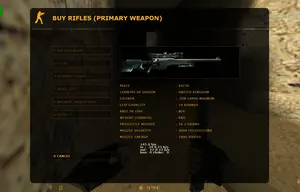 Gameplay
CS 1.6 Complete Weapons Mastery & Recoil Control Guide
Master the AK-47, M4A1, AWP, and Desert Eagle. Understand spray patterns, tap-shooting rhythms, first-bullet accuracy, and economy strategy.
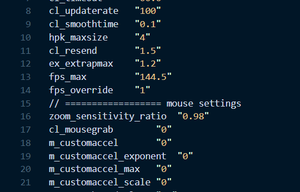 Configuration
CS 1.6 Autoexec & Userconfig Tuning Guide: Optimal Competitor Settings
Learn how to construct a tournament-legal autoexec.cfg and userconfig.cfg with custom crosshairs, radar optimization, and netcode binds.
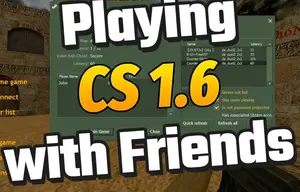 Getting Started
CS 1.6 Multiplayer & MasterServer Guide: Connecting to Global Communities
Learn how to find low-ping public servers, save favorites, connect directly via IP, bypass firewall restrictions, and join global communities.