CS 1.6 Admin Edition
Pre-Installed AMX Mod X 1.9, Metamod, Server Hosting & Admin Menus
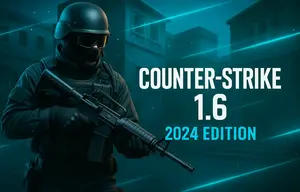
Powered by the unified CS-Down engine with 1-click in-app edition switching and automatic 10–15s mod configuration.
Turnkey AMX Mod X 1.9 & Metamod Server Management Suite
CS 1.6 Admin Edition is the definitive client for server administrators, clan leaders, and community hosts. Instead of spending hours manually downloading, configuring, and compiling Metamod and AMX Mod X libraries, this edition comes with a pre-configured, tested administrative stack ready out of the box.
Whether you are running a dedicated server or hosting a quick local LAN match for friends, you have complete graphical and console command control over all server rules, weapon restrictions, and player permissions.
Step-by-Step Guide: Granting Root Admin Rights in users.ini
Configuring your admin privileges takes under 30 seconds. Navigate to your cstrike/addons/amxmodx/configs/users.ini file and add a line using your nickname, IP address, or SteamID.
For example, adding: "YourNick" "your_password" "abcdefghijklmnopqrstu" "a" grants you full level-1 root access flags, enabling the in-game admin menu, immunity against slays/kicks, and access to all server cvars.
In-Game Graphical Admin Menu (amxmodmenu) & Hotkeys
Press the "P" key in-game to open the intuitive amxmodmenu graphical interface. From this menu, you can instantly kick disruptive players, issue temporary or permanent bans (amx_ban), slap players for camping, switch player teams, or trigger map votes.
Includes pre-installed core plugins: Admin Base, Admin Commands, Admin Help, Slots Reservation, Map Manager, and StatsX ranking statistics.
Local Server Hosting & Hardened RCON Security
Hosting a listen or dedicated server from this client is seamless. The included server.cfg is optimized for high-tickrate performance (sys_ticrate 1000) and includes anti-RCON brute force protections.
Friends can connect via local LAN or direct IP, enjoying low ping and seamless AMX Mod X plugin execution.
Technical Specifications
| Engine Core | ReHLDS GoldSrc Engine with AMX Mod X 1.9 & Metamod-P |
|---|---|
| Protocol Compatibility | Dual Protocol 47 / 48 (Host & Connect to all servers) |
| Client Security | RCON Brute-Force Blocker & Immunity Flag Protection |
| Server Discovery | Administrative MasterServer with LAN Discovery Engine |
| Display & Refresh | 16:9 Widescreen & 4:3 CRT High-Refresh Support |
| Offline Bot AI | AMX-Integrated AI Bots with admin control commands |
| Audio Subsystem | Standard GoldSrc Sound with Admin Voice Broadcast Support |
| Disk Footprint | 170.80 MB Setup (~800 MB Installed) |
Key Features of CS 1.6 Admin Edition
- ✓ Admin menu
- ✓ Server tools
- ✓ RCON shortcuts
- ✓ Anti-slowhack shield
- ✓ Demo review helpers
Recommended Console Configuration
CS 1.6 Admin Edition comes pre-configured for optimal performance. Open your in-game console (~) to view or customize these settings:
System Requirements for Windows PC
● Minimum Specifications
- CPU: 800 MHz processor (Intel or AMD)
- RAM: 128 MB RAM (256 MB recommended)
- GPU: 32 MB video card with OpenGL support
- Storage: 800 MB available hard drive space
- OS: Windows XP / Vista / 7 / 8 / 8.1 / 10 / 11
● Recommended Specifications
- CPU: 1.5 GHz multi-core processor
- RAM: 512 MB RAM or higher
- GPU: 128 MB DirectX 9 / OpenGL hardware acceleration
- Storage: 1.2 GB available storage space
- OS: Windows 10 or Windows 11 (24H2 compatible)
Quick Installation Guide
- 1. Download Setup: Click the direct download button above to retrieve
CS-1.6-Admin-Edition-Setup.exe(170 MB). - 2. Run Installer: Launch the installer and follow the standard on-screen wizard to choose your destination directory.
- 3. Select CS 1.6 Admin Edition: Open the client from your desktop shortcut. Select CS 1.6 Admin Edition from the launcher menu with 1 click.
- 4. 10s Auto-Update: The client will configure the edition's custom models, sounds, and server lists automatically in 10–15 seconds.
- 5. Play Online or Practice with Bots: Click "Find Servers" to browse thousands of active community servers, or start a local match to practice offline.
Frequently Asked Questions
How do I give myself admin rights in CS 1.6 Admin Edition? ▼
Open the game directory, go to cstrike/addons/amxmodx/configs/users.ini, and add: "YourNick" "your_password" "abcdefghijklmnopqrstu" "a". In your game console, type: setinfo _pw your_password before joining your server.
Which key opens the AMX Mod X admin menu? ▼
The admin menu is pre-bound to the "P" key (bind "p" "amxmodmenu"). Pressing P brings up the graphical list of admin commands, including player kicking, banning, slaying, and map changing.
Can I host a server for my friends with this edition? ▼
Yes! You can host a local LAN game or an Internet server using the "New Game" button or hlds.exe dedicated server tool. All AMX Mod X plugins, admin menus, and custom server rules run automatically.
Does this edition protect my server from RCON brute-force attacks? ▼
Yes. The pre-configured server.cfg includes rcon_password protection hooks and ban limits to prevent unauthorized users from hijacking your server console.
Related Technical Guides
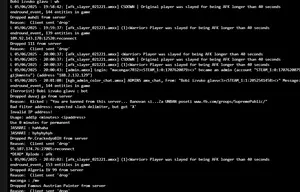 Advanced
CS 1.6 Dedicated Server Hosting & AMX Mod X Setup Guide
Complete guide to building, hosting, and administering a modern 1000 FPS ReHLDS server with AMX Mod X, Metamod-r, and anti-cheat modules.
 Advanced
CS 1.6 FastDL & ReHLDS Server Acceleration Guide 2026
Learn how to set up lightning-fast map and sound downloads for your CS 1.6 server using sv_downloadurl, Nginx / Cloudflare FastDL mirrors, and ReHLDS.
 Audio
CS 1.6 In-Game Voice Chat & Mic Fix: Resolving Steam Opus Codec Mismatch
Fix microphone static, robotic voice transmission, and volume issues in Counter-Strike 1.6. Configure voice_scale and resolve Steam vs Non-Steam Opus audio codec incompatibilities.